










Play Basketball Bros Online
- Game type
- 2D arcade basketball
- Player mode
- Single player or local two-player mode
- Platform
- Browser game
- Modes / play format
- Play Now, 2 Players Same PC, Tournament, Practice
- Controls
- Player 1: WASD + G · Player 2: Arrow keys + L
- Categories
- Basketball2 PlayerArcade
Play Basketball Bros online: choose Play Now, 2 Players Same PC, Tournament, or Practice, then check the controls for the linked game build.
Start with the Basketball Bros mode you want
Basketball Bros opens with four choices in the linked build: Play Now, 2 Players Same PC, Tournament, and Practice. Play Now is the direct way into a match. The same-PC option is for two people sharing one keyboard, while Tournament and Practice let you choose a longer run or a place to get comfortable with the controls.
The menu names matter because local two-player play is not online matchmaking. If you are inviting a friend on another device, this build does not label its shared-keyboard option as an online room. For a side-by-side match, sit at the same computer and use the two separate key sets shown below the game.
How a Basketball Bros match feels
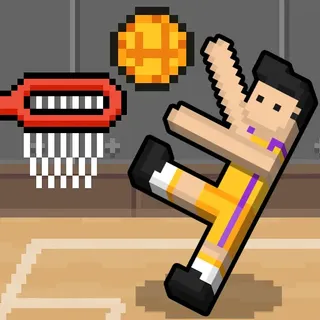
Basketball Bros is a 2D arcade basketball game with short, direct rounds. Movement and shooting are handled from the keyboard, so the first decision is usually positioning: move into the play, get near the ball, then use the action key at the right moment. The game keeps those basic actions quick to reach instead of putting a large settings screen between you and the court.
The variety comes from choosing how to begin. A quick Play Now session is useful when you just want a match. Practice gives you room to learn the button timing, and Tournament is there when one short round is not enough. Those labels come from the current game menu; use the on-screen prompt if the embedded host changes its build.
Use the shared keyboard without mixing sides
Player 1 uses WASD to move and G for the current action. Player 2 uses the arrow keys and L. In a same-PC game, keep the two groups of keys in mind before starting, especially if you are passing the keyboard between players. The game page leaves the mapping visible beside the player so you do not have to reopen a separate control article.
The control label describes the linked version rather than every build of Basketball Bros across the web. If the live menu displays a different key, treat that prompt as the correct instruction for the game you have loaded. You can also open the controls button below the player to view the same mapping while the game is on screen.
Other basketball games to try next
Basketball Legends 2020 and Basketball Stars are the next choices if you want more menu-led arcade matches and extra action keys. Dunkers is a better fit when you want jump timing and physics to shape the play. Basket Random cuts the inputs down to one jump key per side and changes its court or player setup after points.
Use the game cards above the details to switch titles, or browse the 2 Player Basketball Games collection to compare the local modes. Each card leads to its own playable page, with that title's source and controls kept separate from Basketball Bros.
Basketball Bros controls
- Player 1 moves with W, A, S, and D; press G to shoot or perform the action shown for the current mode.
- Player 2 moves with the arrow keys; press L to shoot or perform the action shown for the current mode.
These keys match the Basketball Bros build linked here. Follow the live prompt after choosing a mode if the host changes its controls.
Basketball Bros questions
Can two people play Basketball Bros on one computer?
Yes. The linked menu has a 2 Players Same PC option. Player 1 uses WASD and G, while Player 2 uses the arrow keys and L in this build.
What modes are in Basketball Bros?
The current build lists Play Now, 2 Players Same PC, Tournament, and Practice.
What are the Basketball Bros controls?
Player 1 moves with WASD and uses G for the current action. Player 2 moves with the arrow keys and uses L. Follow the live menu prompt if it differs.
Does Basketball Bros have online multiplayer?
The linked build identifies its two-player choice as 2 Players Same PC, which uses one shared keyboard. It does not show an online matchmaking or room option in that menu.
Game source: open playable sourceindependent game page
Loading comments…